 Xana
Xana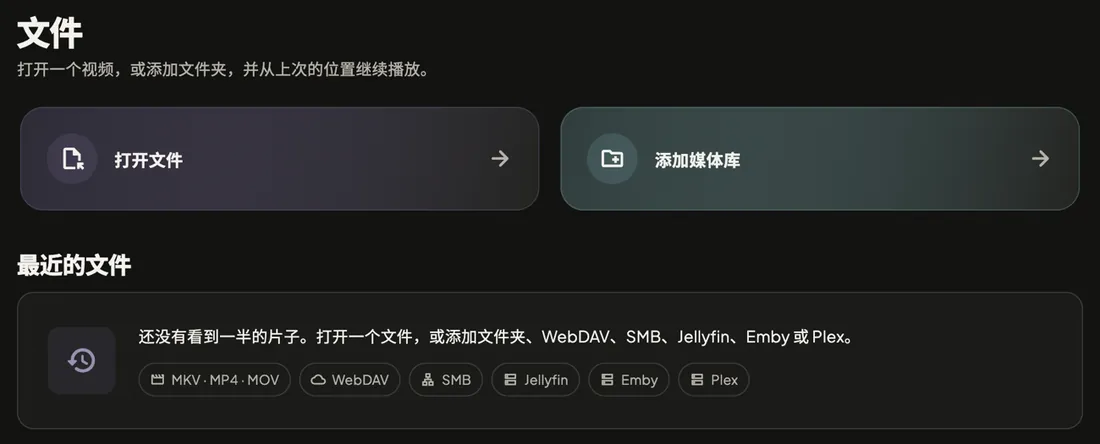
No server needed
Open a video on the device or add a folder. Anything half-watched shows up under Recent files.
Xana connects to your Jellyfin, Emby, Plex, NAS shares, and local files, and turns them into one calm, good-looking library. Same player on phone, tablet, Mac, and TV box, picking up where you left off.
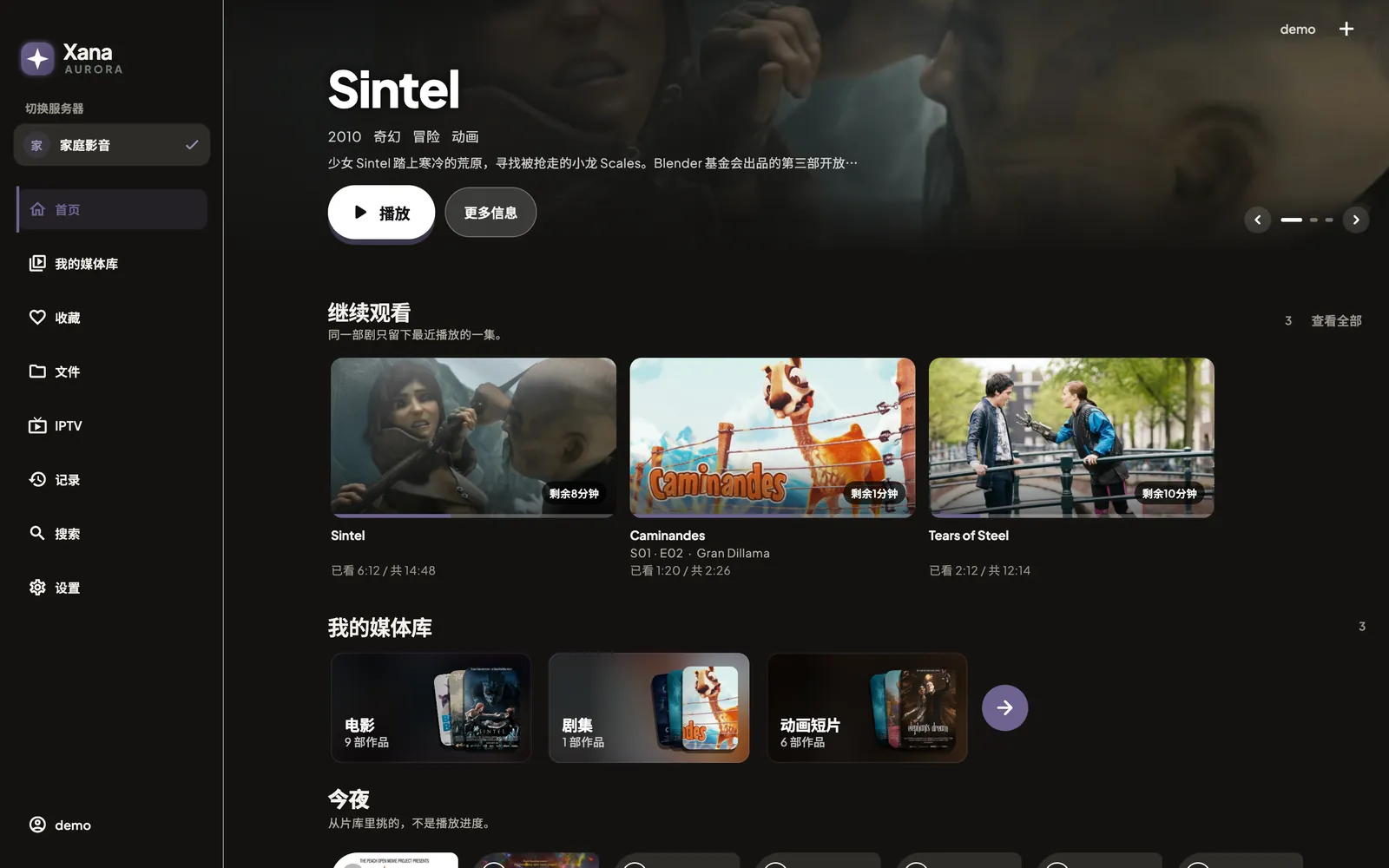
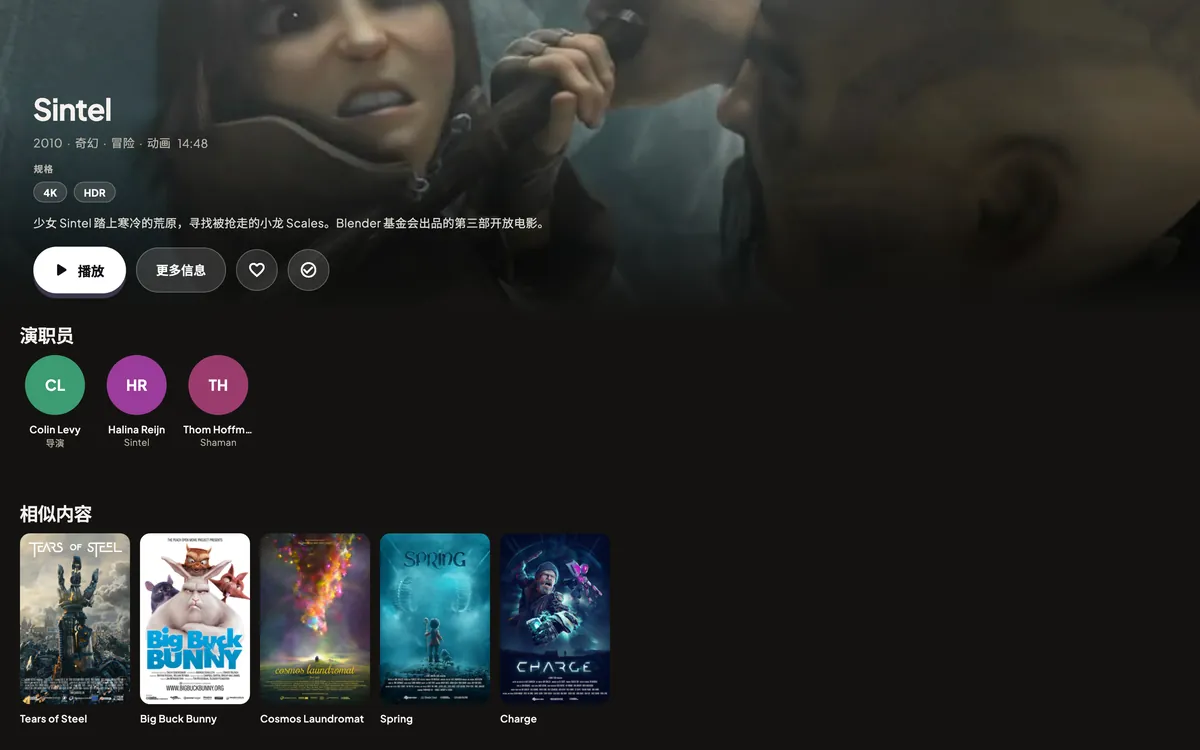
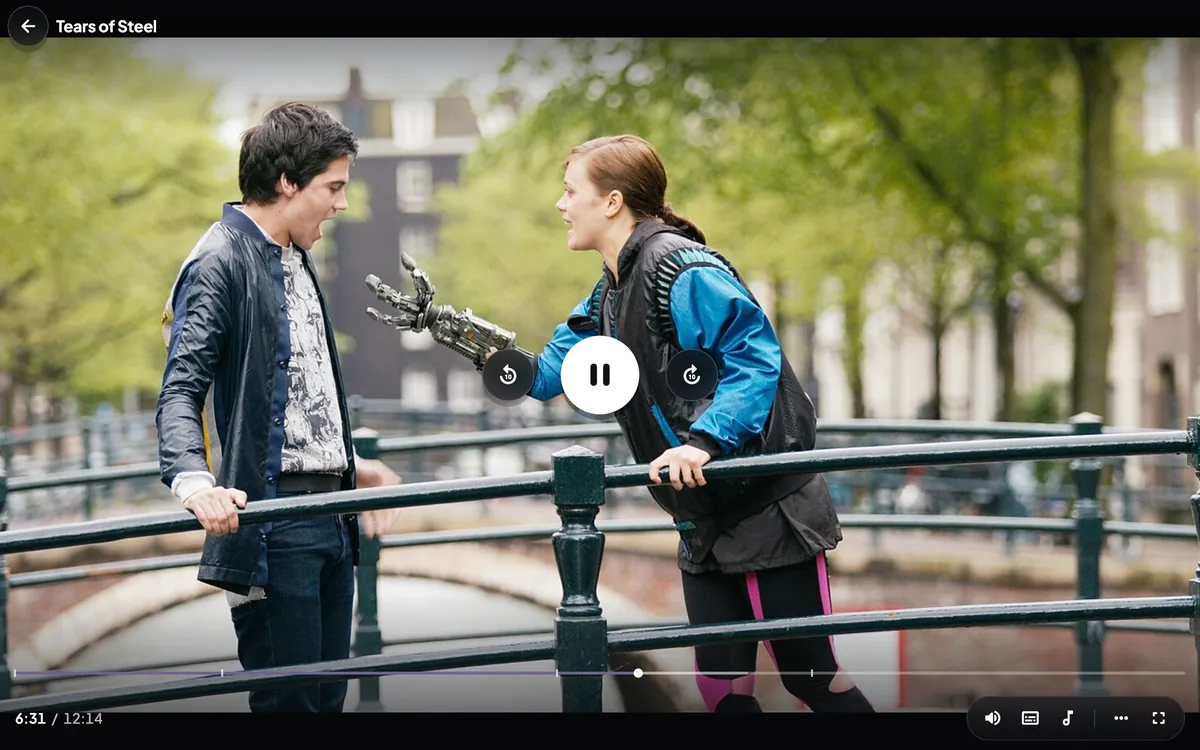
Rendered from the real Xana 0.9.0 interface code with demo data. Posters and stills are Blender open movies (CC BY); credits are on the licences page.
Works with what you already run
Features
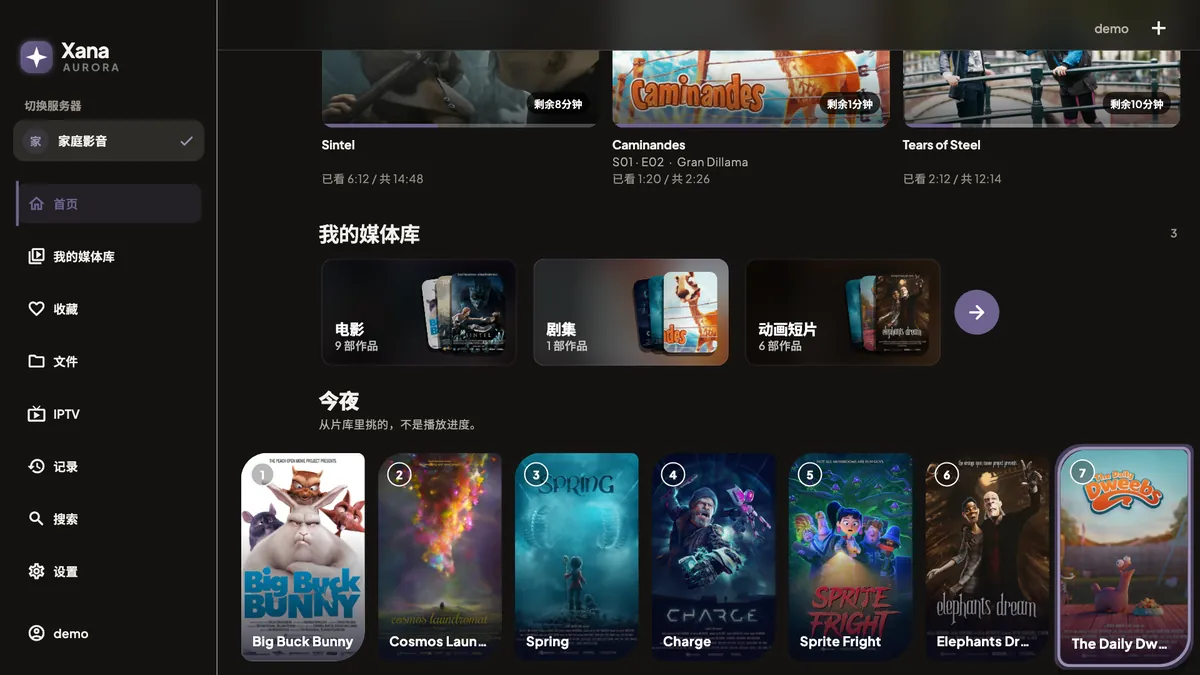
Every screen was redesigned in 0.9.0. Each picture below is rendered from the app’s real interface code, not a mock-up.
Home leads with what you most likely want: the hero is the episode you were halfway through, and Play resumes it.
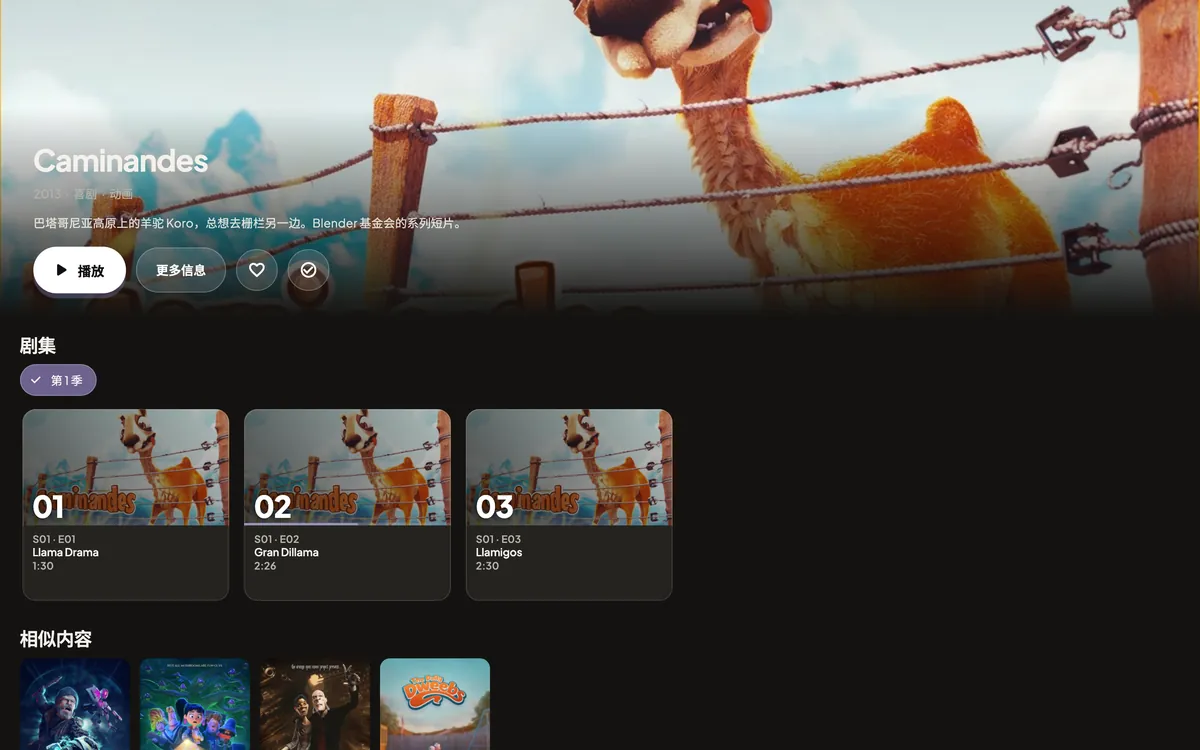
Playback is built on mpv (libmpv). MKV, MP4, MOV, and common subtitle formats open directly, without transcoding.
The Android build runs on phones and TV. On a TV box the D-pad moves a clear focus ring that keeps the focused card in view. Tab and arrow keys work the same way on Mac.
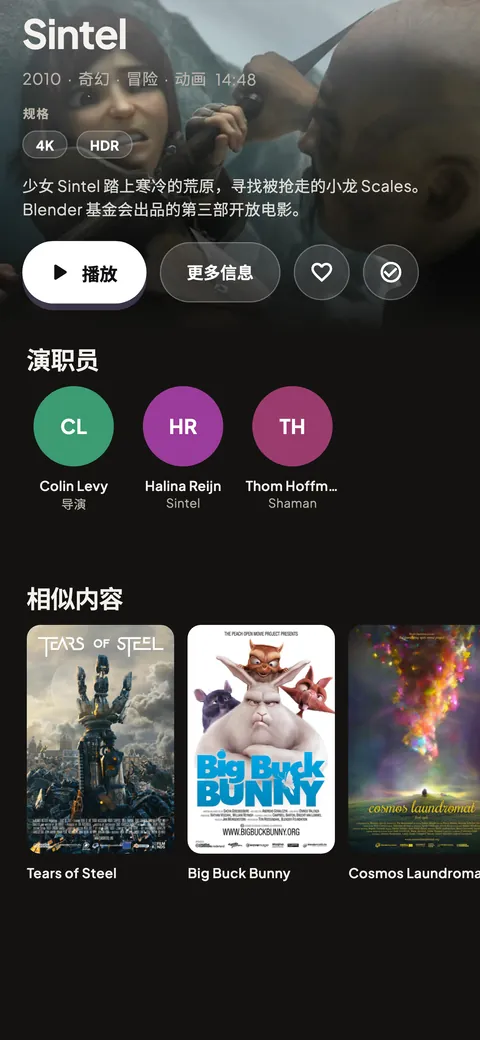
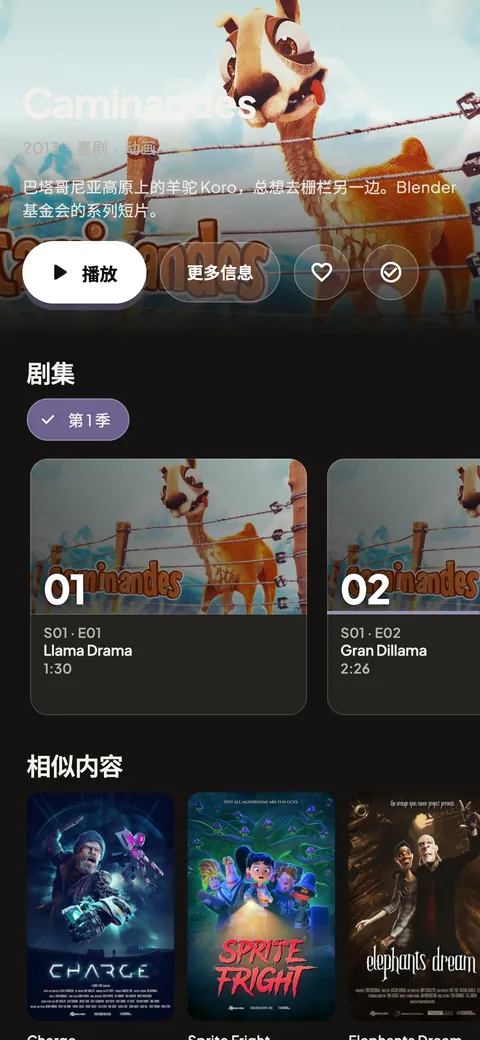
iPhone and Android phones share the same interface, with details, series, and the player laid out again for portrait.
Open a video on the device or add a folder. Anything half-watched shows up under Recent files.
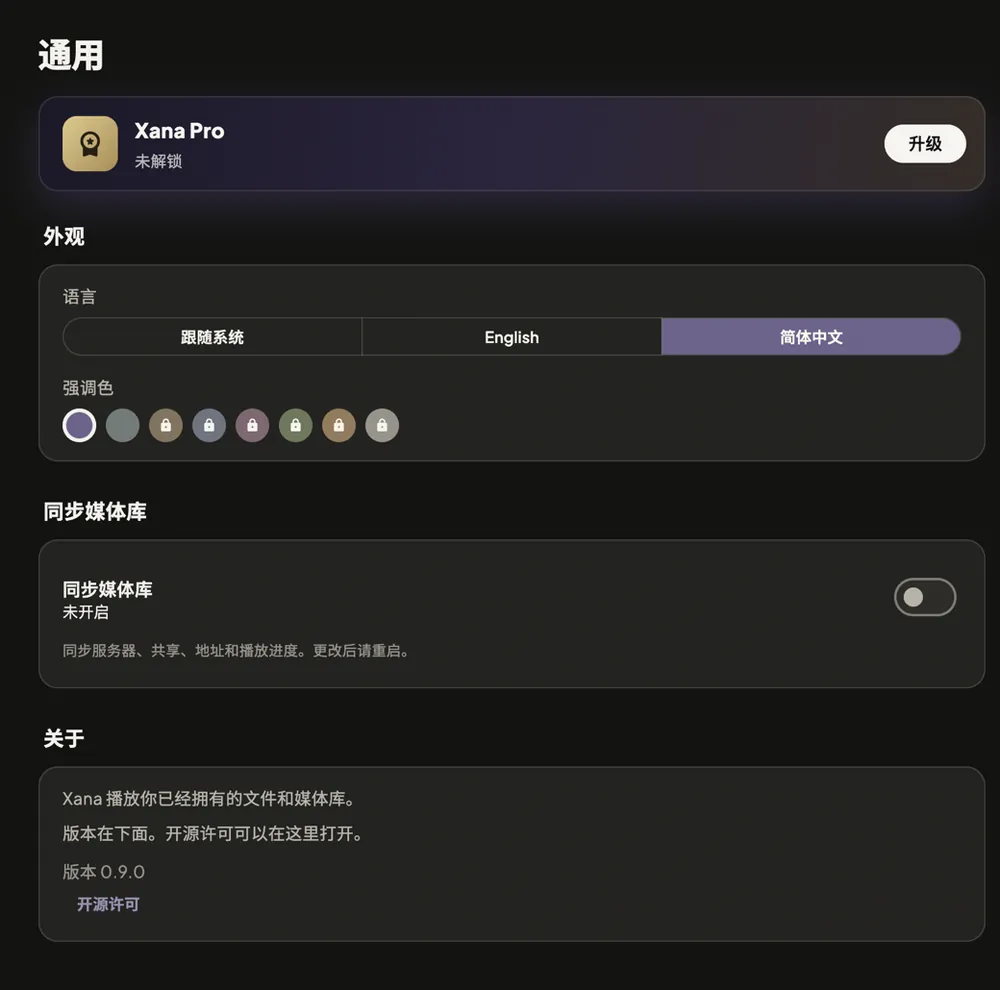
General, playback, interface, gestures, video, audio, subtitles, danmaku, and more. Chinese and English interface, eight theme colours.
Why Xana
Each of these can be checked in the app and its code. None of them is a slogan.
No analytics, ads, or crash-reporting SDK. The App Store privacy manifest declares no collected data types and no tracking.
Server passwords and tokens live in the system keystore. There is no Xana account and no Xana server between you and your library.
Browsing, playback, resume, subtitles, audio tracks, gestures, and picture-in-picture are free, with no time limit. Pro adds extras only.
Besides yearly, there is a ¥58 lifetime option: buy once, keep it, on every iPhone, iPad, and Mac under the same Apple Account.
D-pad focus, TV launcher entry, and banner are all there. The APK comes from this site with its SHA-256 and signing-certificate fingerprint for you to check.
Xana connects only to servers you add and to services you switch on yourself, such as TMDB, OpenSubtitles, or dandanplay, with your own keys.
Pricing
No ads and no monthly fee. Upgrade if you like it; stay free forever if you don’t.
A complete player, free for good
Try it for a year
About ¥0.08 a day · renews yearly, cancel any time
Buy once, keep it
About two years of yearly, then nothing more to pay
| Feature | Free | Pro |
|---|---|---|
| Network servers (Jellyfin, Emby, Plex, WebDAV, SMB, FTP, SFTP) | 1 | Unlimited |
| Local folders and opened files | Unlimited | Unlimited |
| Browse, play, resume, continue watching, TMDB metadata | Included | Included |
| Subtitle and audio tracks, subtitle styling, delay, preferred language | Included | Included |
| Gestures, A-B loop, chapters, screenshot, stats, picture-in-picture | Included | Included |
| Online subtitle search (OpenSubtitles) | Not included | Included |
| Cast to a DLNA device on your network | Not included | Included |
| Danmaku (dandanplay compatible) | Not included | Included |
| Theme colours | 2 | All 8 |
Download
Need to verify the file or install on a TV box? See download and install notes.
FAQ
No. Xana is a player. It does not provide, host, or recommend any content. Bring your own media server (Jellyfin, Emby, Plex), NAS share, or files on the device.
Jellyfin, Emby, Plex, WebDAV, SMB, FTP/FTPS, SFTP, and local folders; Pro can cast to DLNA devices. Playback uses mpv, so MKV, MP4, MOV and embedded subtitles play directly. Hardware decoding depends on the device.
No account. Xana has no analytics, ads, or crash reporting, and server passwords stay in the system keystore. See the privacy policy.
Free allows one network server (local folders are unlimited) and includes playback, resume, subtitles, gestures, and picture-in-picture. Pro adds unlimited servers, online subtitles, DLNA casting, danmaku, and all eight theme colours.
Same features. Yearly is ¥28 and renews each year until you cancel. Lifetime is ¥58 once and never renews. If you expect to use Xana for more than two years, lifetime costs less.
Sign in with the same Apple Account, open Settings › General › Xana Pro, and tap Restore Purchases. It works across iPhone, iPad, and Mac with no separate account.
It is only distributed from this site. The download page lists the SHA-256 and signing-certificate fingerprint of each release so you can check them. Every update is signed with the same key, so it installs over the previous version.
Yes. The Android build supports the Android TV launcher and D-pad navigation. See the install notes.

Free to download. Connect your server and start playing in a minute.